Home / Guides / Freelancer invoice template
Freelancer invoice template
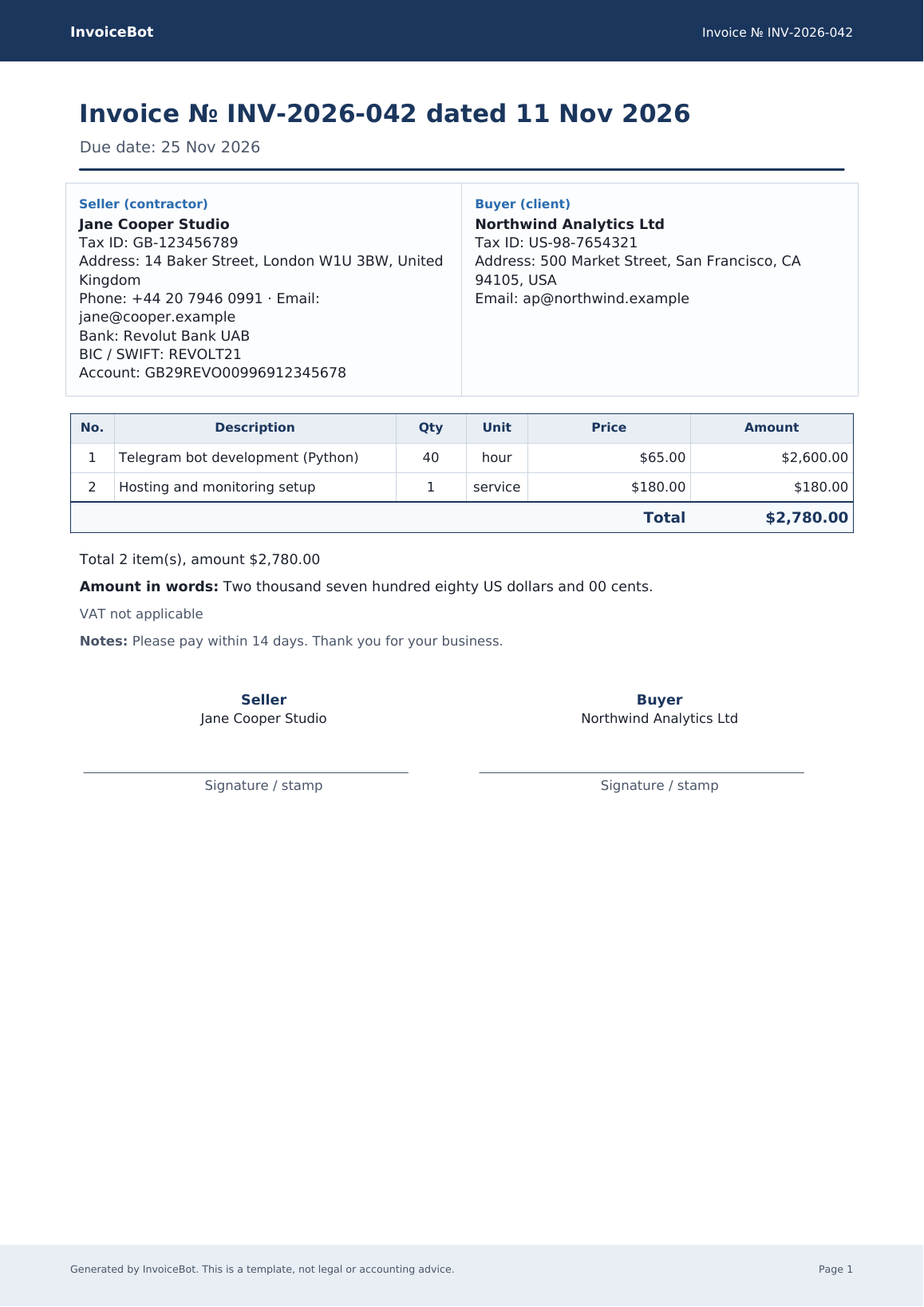
A clear invoice does two jobs: it tells the client how much to pay and why, and it leaves you a record of what was agreed. You do not need an accounting suite for that. A straightforward A4 PDF — or a Word file you can edit — is enough for most independent work.
What a freelancer invoice should include
- A unique invoice number and the issue date.
- A due date (many freelancers use +7, +14 or +30 days).
- Your name or business name, and a tax ID if you have one.
- The client’s legal name, as they expect it to appear in their accounts.
- Line items with a real description, quantity, unit price and amount — “services, 1, $2,000” is usually too thin.
- The currency, the total, and payment details (bank, IBAN, or a link to a crypto invoice if you bill in stablecoins).
- Payment terms and a note to include the invoice number in the transfer reference.
Tax wording depends on where you and the client are. Do not copy a VAT line from someone else’s template if it does not apply to you. InvoiceBot’s sample files are templates, not tax advice.
Download or generate
Take the Word template or the PDF sample, or skip the blanks and build the PDF in your browser — no sign-up, nothing uploaded. The Telegram bot @autoinvoicerobot can also save your profile and issue an act of completed work or a short service agreement.
If the client pays in crypto
Use a dedicated USDT / USDC template or switch the generator to a crypto invoice so the network and address cannot be missed. A regular bank invoice with the address buried in the notes is how wrong-network transfers happen.